
Screenshots
About Mirror Photo Editor: Collage Maker & Selfie Camera
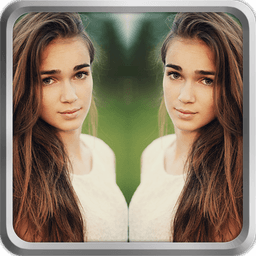
Mirror Photo Editor: Collage Maker & Selfie Camera is your all-in-one creative studio for transforming photos into stunning mirrored masterpieces. Whether you're crafting symmetrical selfies, designing artistic collages, or experimenting with bold visual effects, this app gives you professional-grade tools that feel effortless to use.
Flip and reflect your images with precision. Choose horizontal or vertical mirroring to create perfect symmetry in portraits, selfies, and landscapes. The mirror editing engine works in just a few taps, letting you achieve that balanced, eye-catching look without technical knowledge. Every flip is clean, every reflection is flawless.
Combine multiple photos into beautiful collages using intuitive grid templates and customizable borders. Layer your best moments together, add mirror effects for visual harmony, and arrange everything with pixel-perfect control. Whether you're building a unified aesthetic or telling a visual story, the collage tools adapt to your vision instantly.
Elevate your edits with a vast library of photo effects and decorative stickers. Apply trendy filters like neon spirals, glitch art, and magical overlays that bring energy to every image. Choose from hearts, stars, animals, emojis, and more to personalize your creations. Add dripping frames and sketch outlines for artistic depth that makes your work stand out.
Transform backgrounds effortlessly with the integrated background remover and editor. Swap dull scenery for dreamy landscapes, abstract textures, or vibrant solid colors. Whether you're going minimalist or surreal, you control every element. Your imagination sets the boundaries, not your original photo.
Designed for everyone from casual users to creative professionals, Mirror Photo Editor: Collage Maker & Selfie Camera keeps powerful features accessible. No steep learning curve, no frustrating menus—just intuitive controls and instant results. Create, edit, and share your finished masterpieces in seconds. Your best work deserves to be seen.
Pros & Cons
Pros
- Mirror and flip tools work in just a few taps with clean results
- Collage templates and customizable borders let you arrange photos with precision
- Extensive library of filters, stickers, and effects for visual personalization
- Background remover and editor built in for swapping scenery without extra apps
Cons
- Free version likely includes ads or paywalls for premium filters and effects
- Background remover quality depends on photo complexity and lighting conditions
- Large effect library and sticker packs may require significant device storage
- No mention of cloud saving or cross-device project sync for your edits
Related Apps

GIMP
Open-source photo editor and digital art studio with professional tools for retouching and illustration.

Paint.NET
Free photo editing software with layers, effects, and unlimited undo for Windows.

Photoscape
Photo editor with viewer, collage maker, GIF creator, and batch tools—all in one free app.

3D Emoji Face Camera
KEVIN STUDIO
3D emoji face camera with live filters and animated effects. Create fun selfies instantly.

Profile Picture Downloader HD
helalik
Download Instagram profile pictures in HD — no login required, view and save instantly.
Beauty Camera Plus
Photo Created
Photo editor with beauty filters for selfies, portraits, and real-time enhancement — free download.
Latest Articles

Best AI admin task automation apps for desktop in 2026 (we tested 7)
Jul 11, 2026

Best AI coding tutor apps for desktop in 2026 (we tested 7)
Jul 11, 2026

Best apps for the *arr media stack on desktop in 2026 (we tested 7)
Jul 11, 2026

Best classic Doom source port apps for desktop in 2026 (we tested 7)
Jul 11, 2026

Best FFXIV companion apps for desktop in 2026 (we tested 7)
Jul 11, 2026